Dailymotion Subtitle Translator

Translate Dailymotion Videos — On Any Website

Works on Dailymotion.com and any website that uses the Dailymotion video player.

Works with: Dailymotion & Embedded Players YouTube Crunchyroll Vimeo Netflix* + more
✓ HTML5 video players ✓ Local subtitle rules ✓ Optional AI services
VoxSub working on Dailymotion embedded player

Why VoxSub

Powerful subtitle tools in one lightweight extension

Everything you need to watch, learn, translate, and control subtitles.

🎯

Dual Captions

Display the original subtitle beside a translated or rewritten version while watching.

🌍

AI Translation

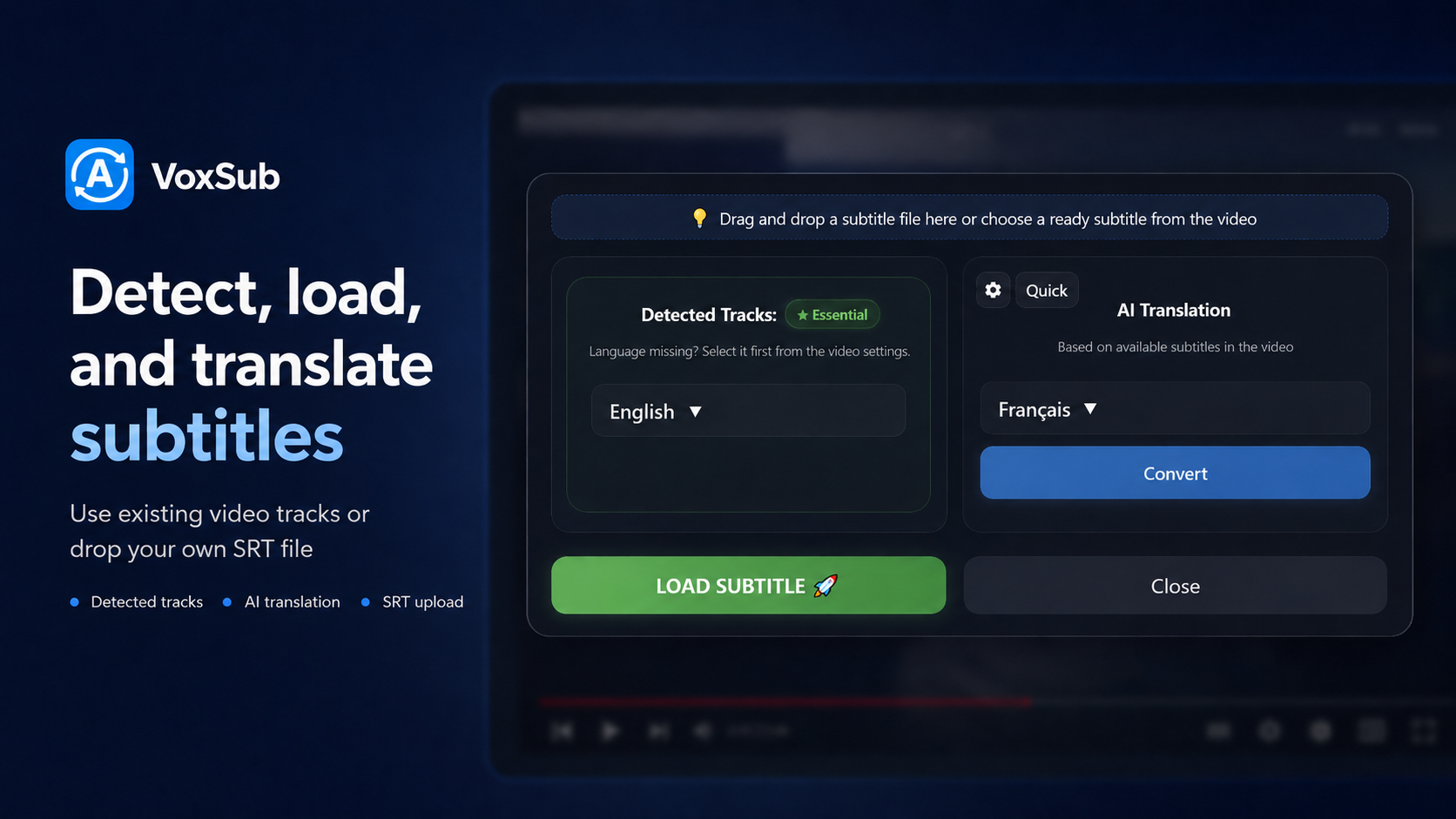
Translate, simplify, rephrase, or rewrite subtitles into supported dialects using your own prompts.

🎙️

Optional AI Voice Dubbing

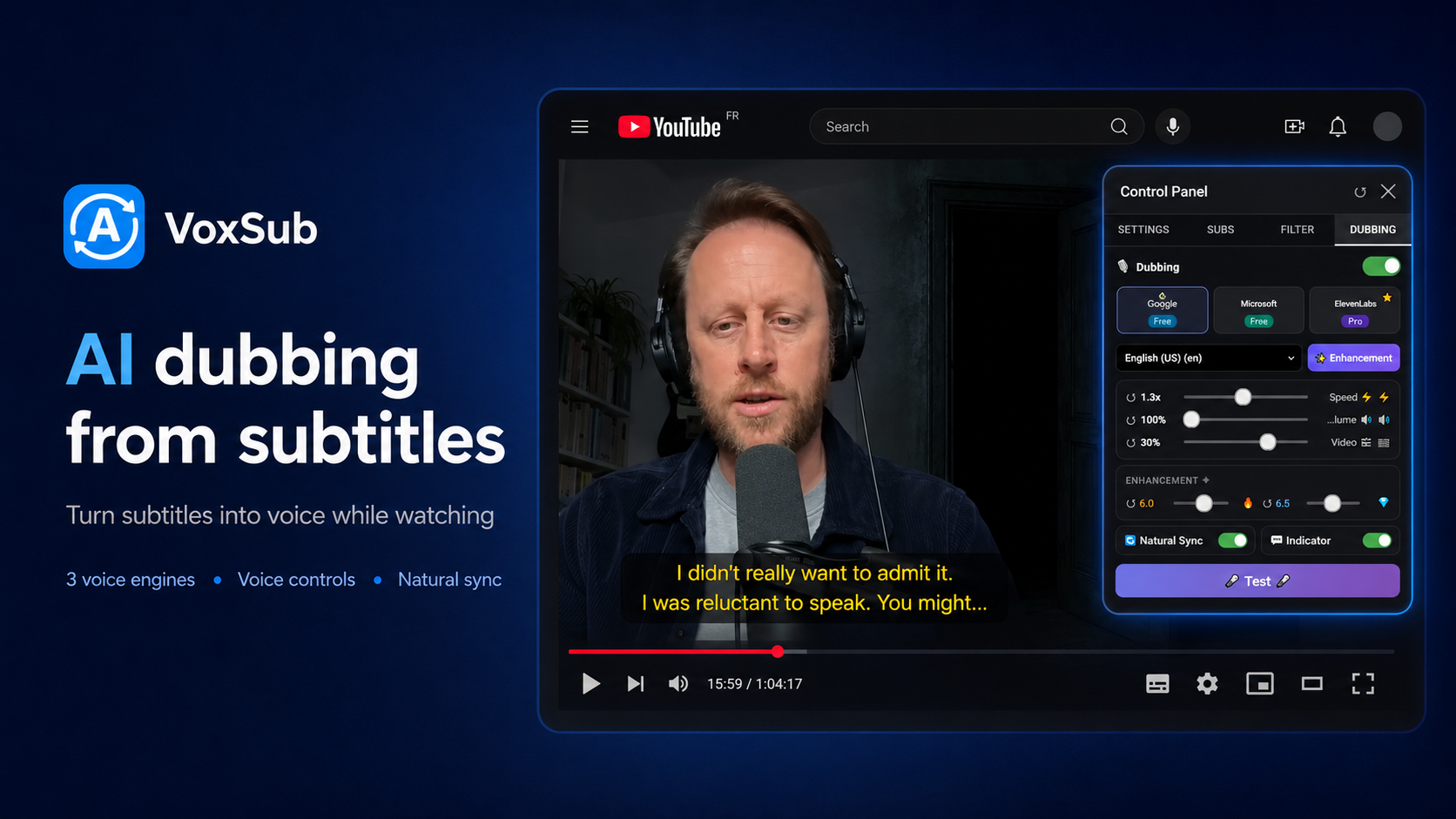
Generate voice playback from subtitles through supported AI voice services when configured with your own API key.

🛡️

Smart Subtitle Profiles

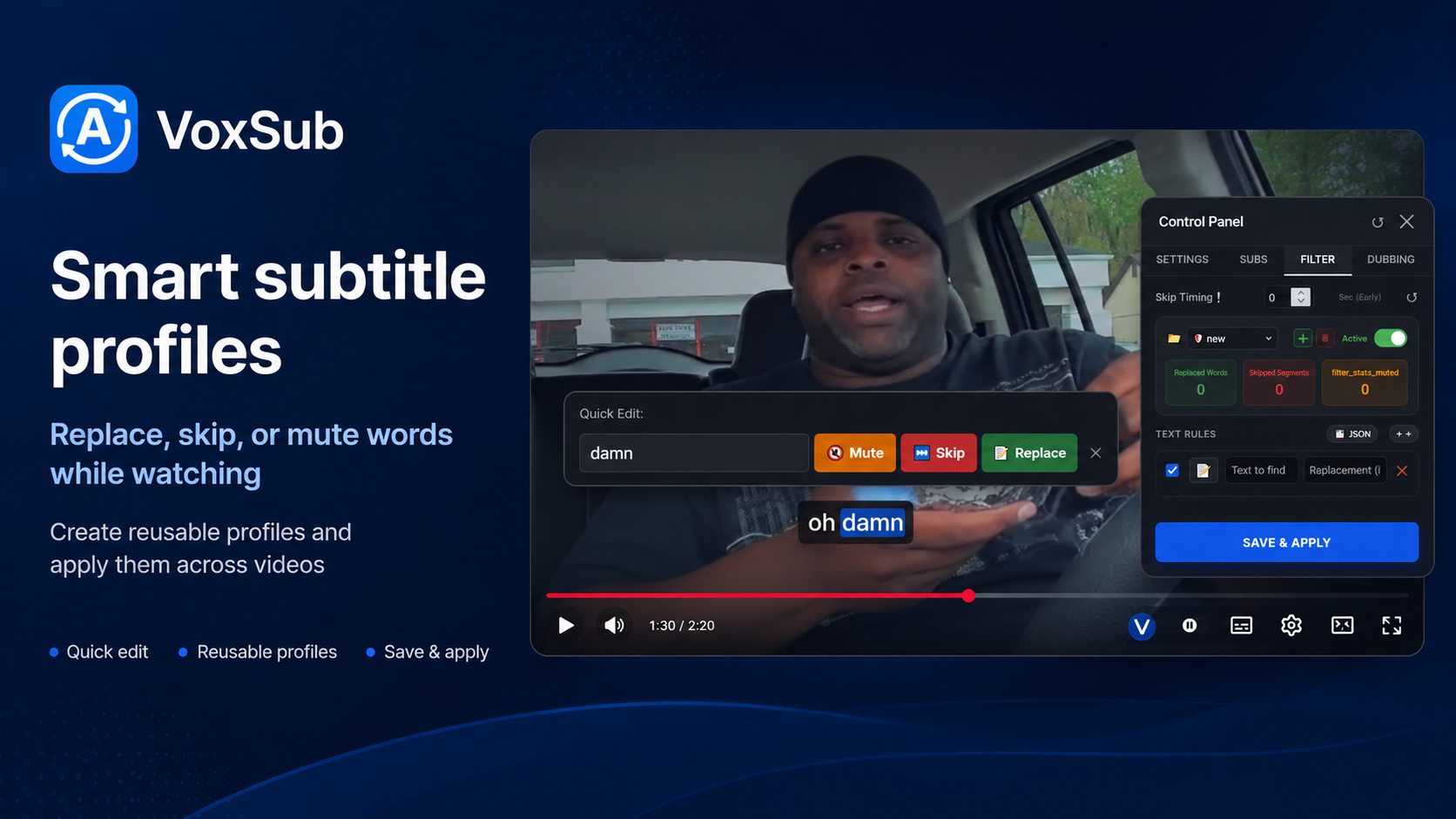
Create profiles to replace words, skip subtitle segments, or mute selected audio parts while watching.

🔍

Subtitle Search

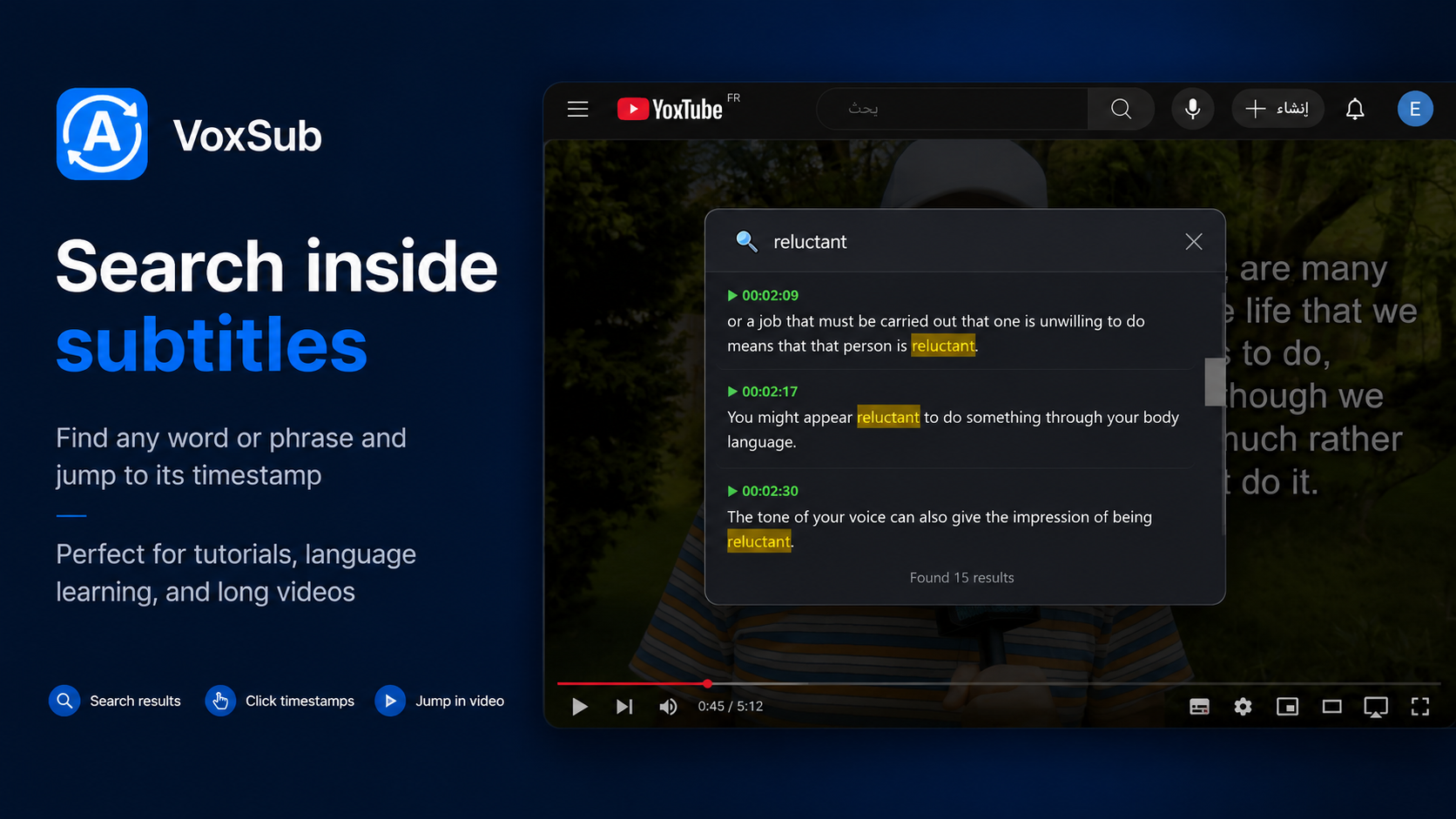
Search for words or phrases inside detected or uploaded subtitles and jump directly to the matching timestamp.

📂

Upload Subtitle Files

Upload your own subtitle files and use translation, search, filtering, editing, and dubbing features normally.

Product Tour

See how VoxSub fits into your video workflow

The promotional screens are now part of the website story, not just a gallery.

01

Dual Captions

Display the original subtitle beside a translated or rewritten version while watching.

  • Original subtitle
  • Translated subtitle
  • AI-rewritten subtitle
VoxSub dual captions
02

AI Translation & Rewriting

Translate, simplify, rephrase, or rewrite subtitles into supported dialects using your own prompts.

  • Prompt-based customization
  • Dialect and tone control
  • Designed for fast subtitle workflows
AI subtitle translation interface
03

Optional AI Voice Dubbing

Generate voice playback from subtitles through supported AI voice services when configured with your own API key.

  • Per-language playback options
  • Custom voice settings
  • Useful for listening practice
AI dubbing panel inside VoxSub
04

Smart Subtitle Profiles

Create profiles to replace words, skip subtitle segments, or mute selected audio parts while watching.

  • Separate profiles for anime, movies, family, and kids
  • Import and export your rules
  • Rules stay stored locally in your browser
Smart subtitle profiles and filtering rules

Simple Setup

Start watching with better subtitles in 3 steps

⬇️

1. Install VoxSub

Add the extension to your browser and open any video page.

▶️

2. Load subtitles

Use detected subtitles or upload your own subtitle file.

⚙️

3. Translate, search, and filter

Apply AI translation, subtitle profiles, search, dubbing, and visual customization while watching.

Supported Platforms

Works where you watch

Works on most websites that use HTML5 video players.

*Requires subtitle file upload when subtitles are not directly available.

0
Languages & dialect workflows
0
Core subtitle tools
0
KB lightweight package target

Get VoxSub

Ready to upgrade your subtitles?

Install from Microsoft Edge Add-ons when the listing is live. Chrome and Firefox builds are planned.