AI Subtitle Control

AI Subtitle Translator & Dual Captions

Translate, customize, search, filter, and display subtitles directly while watching videos.

Works with: YouTube Dailymotion Crunchyroll Vimeo Netflix* + more
✓ HTML5 video players ✓ Local subtitle rules ✓ Optional AI services
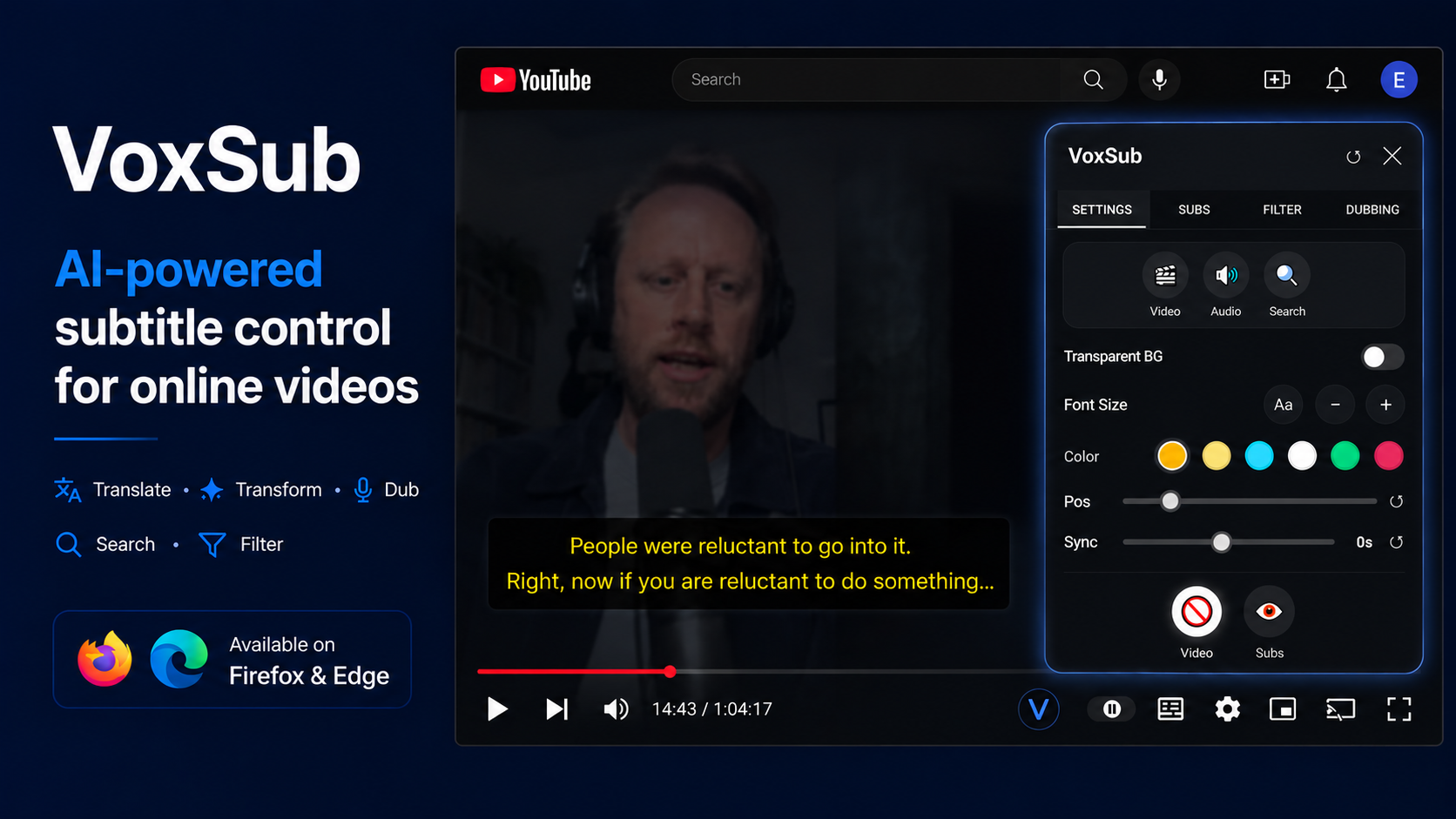
VoxSub complete subtitle control dashboard
Dual Captions Original + translated subtitles
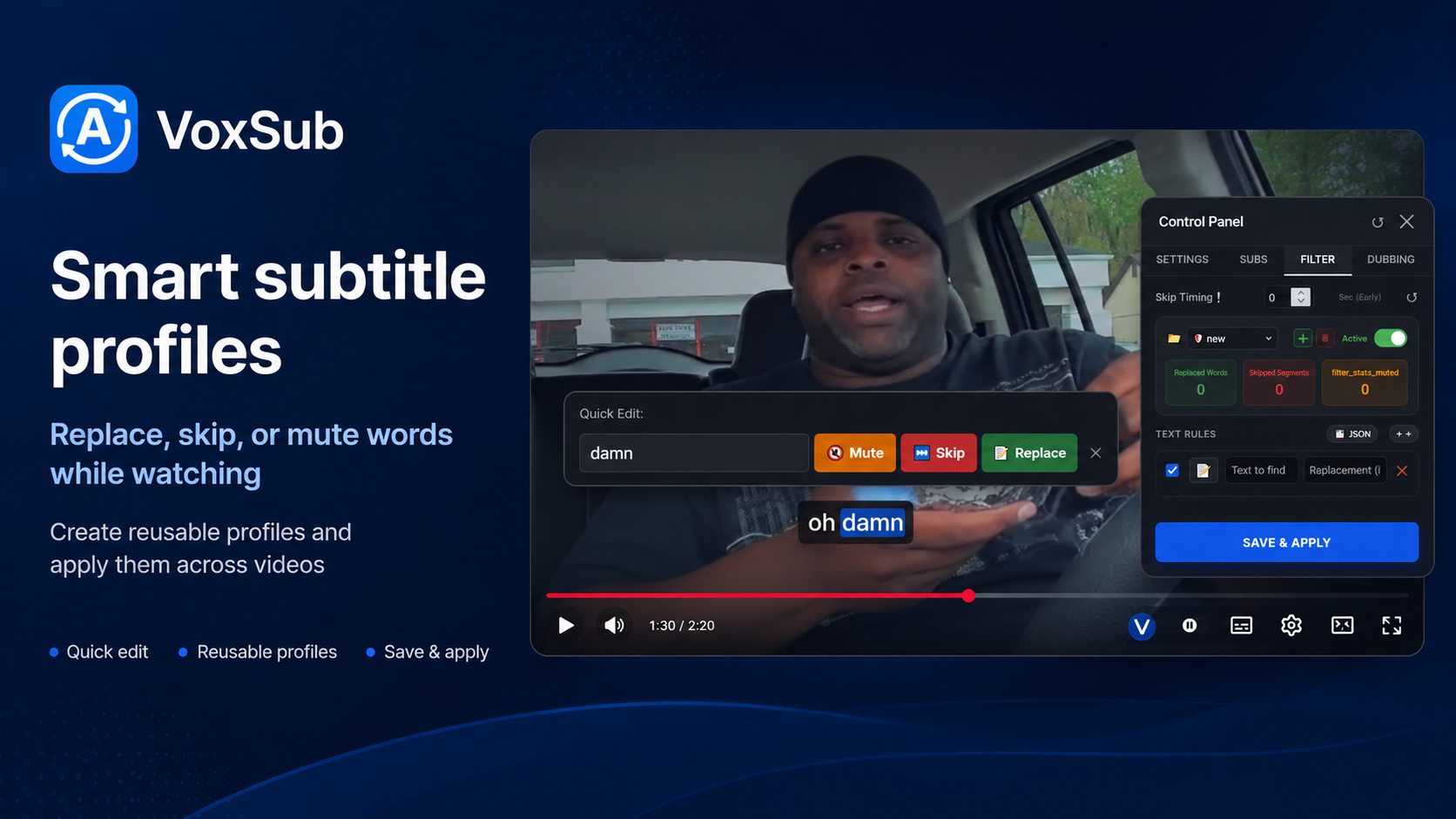
Smart Profiles Replace, skip, or mute rules

Why VoxSub

Powerful subtitle tools in one lightweight extension

Everything you need to watch, learn, translate, and control subtitles.

🎯

Dual Captions

Display the original subtitle beside a translated or rewritten version while watching.

🌍

AI Translation

Translate, simplify, rephrase, or rewrite subtitles into supported dialects using your own prompts.

🎙️

Optional AI Voice Dubbing

Generate voice playback from subtitles through supported AI voice services when configured with your own API key.

🛡️

Smart Subtitle Profiles

Create profiles to replace words, skip subtitle segments, or mute selected audio parts while watching.

🔍

Subtitle Search

Search for words or phrases inside detected or uploaded subtitles and jump directly to the matching timestamp.

📂

Upload Subtitle Files

Upload your own subtitle files and use translation, search, filtering, editing, and dubbing features normally.

Product Tour

See how VoxSub fits into your video workflow

The promotional screens are now part of the website story, not just a gallery.

01

Dual Captions

Display the original subtitle beside a translated or rewritten version while watching.

  • Original subtitle
  • Translated subtitle
  • AI-rewritten subtitle
VoxSub dual captions on an HTML5 video player
02

AI Translation & Rewriting

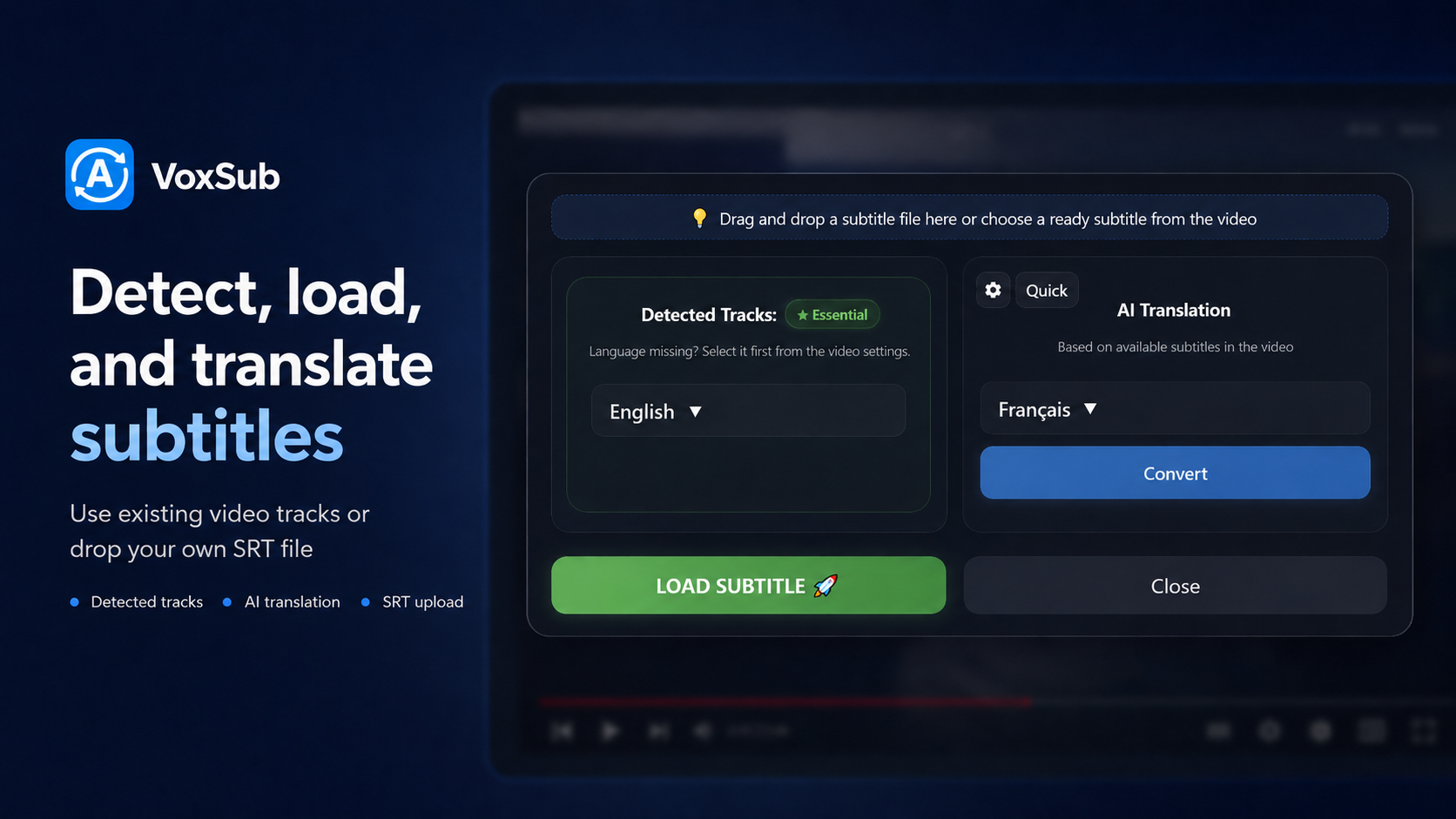
Translate, simplify, rephrase, or rewrite subtitles into supported dialects using your own prompts.

  • Prompt-based customization
  • Dialect and tone control
  • Designed for fast subtitle workflows
AI subtitle translation interface
03

Optional AI Voice Dubbing

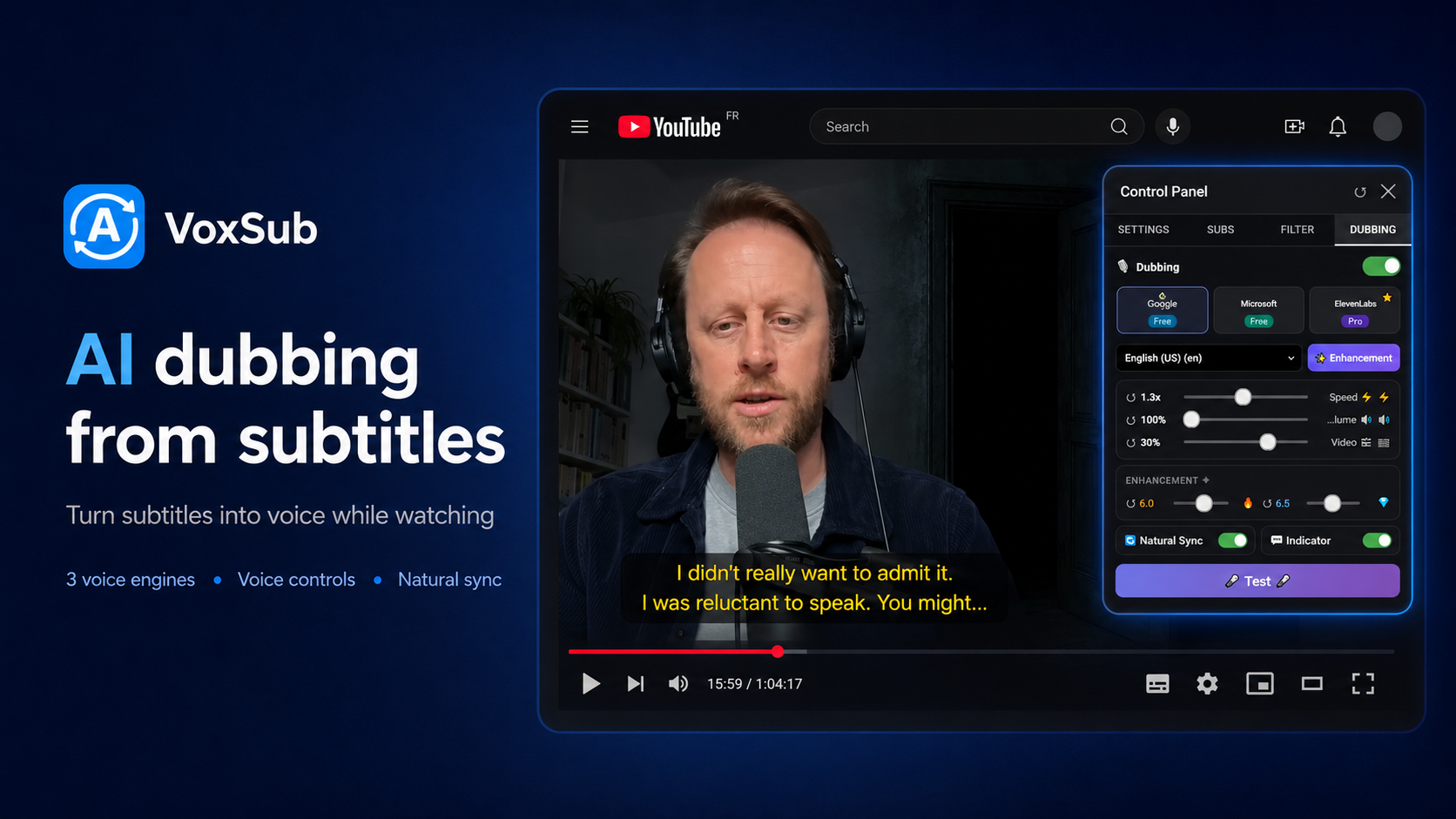
Generate voice playback from subtitles through supported AI voice services when configured with your own API key.

  • Per-language playback options
  • Custom voice settings
  • Useful for listening practice
AI dubbing panel inside VoxSub
04

Smart Subtitle Profiles

Create profiles to replace words, skip subtitle segments, or mute selected audio parts while watching.

  • Separate profiles for anime, movies, family, and kids
  • Import and export your rules
  • Rules stay stored locally in your browser
Smart subtitle profiles and filtering rules
05

Subtitle Search

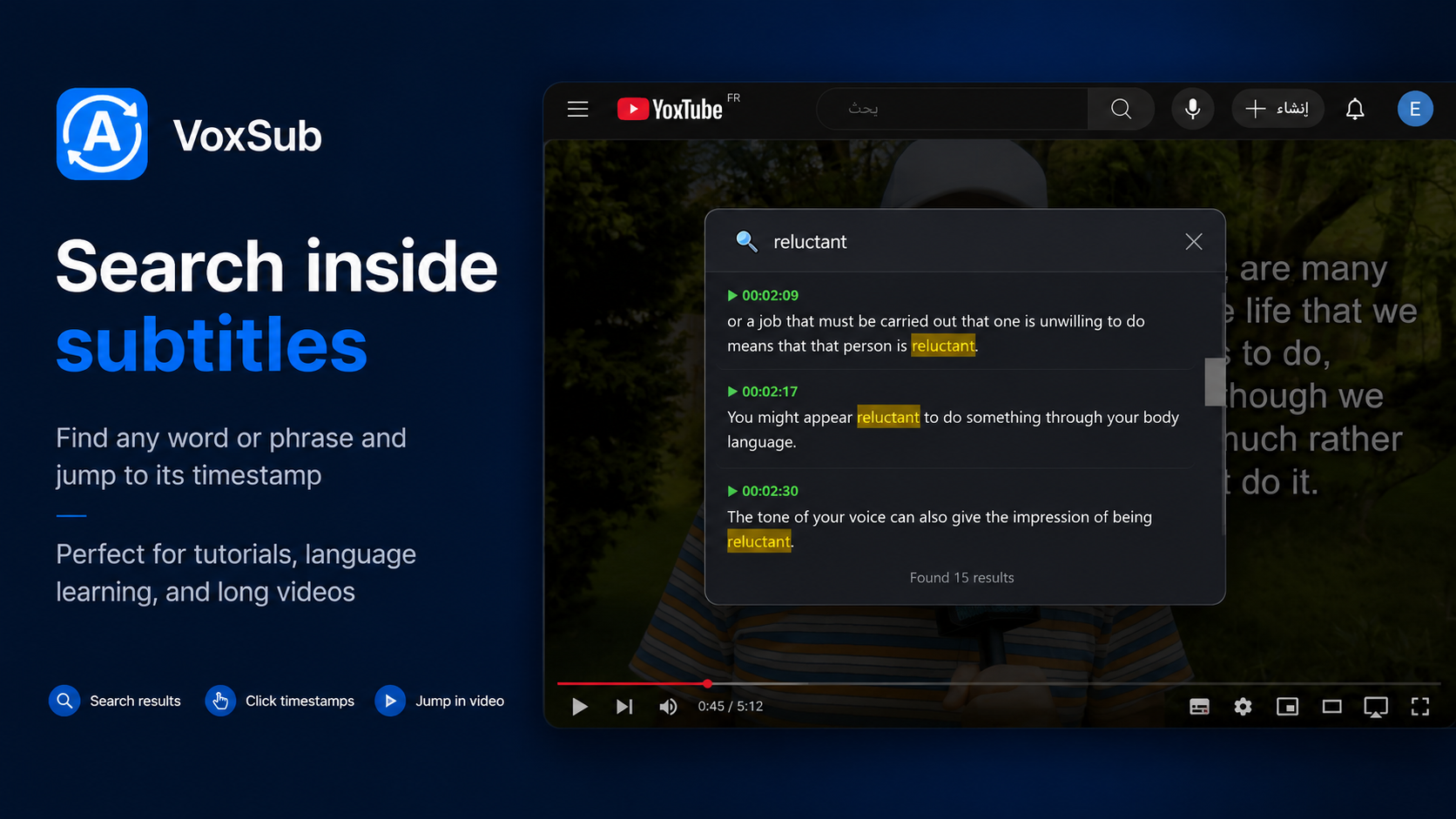
Search for words or phrases inside detected or uploaded subtitles and jump directly to the matching timestamp.

  • Find dialogue instantly
  • Jump to exact timestamps
  • No external subtitle tool required
Search inside any video subtitle timeline
06

Advanced Customization

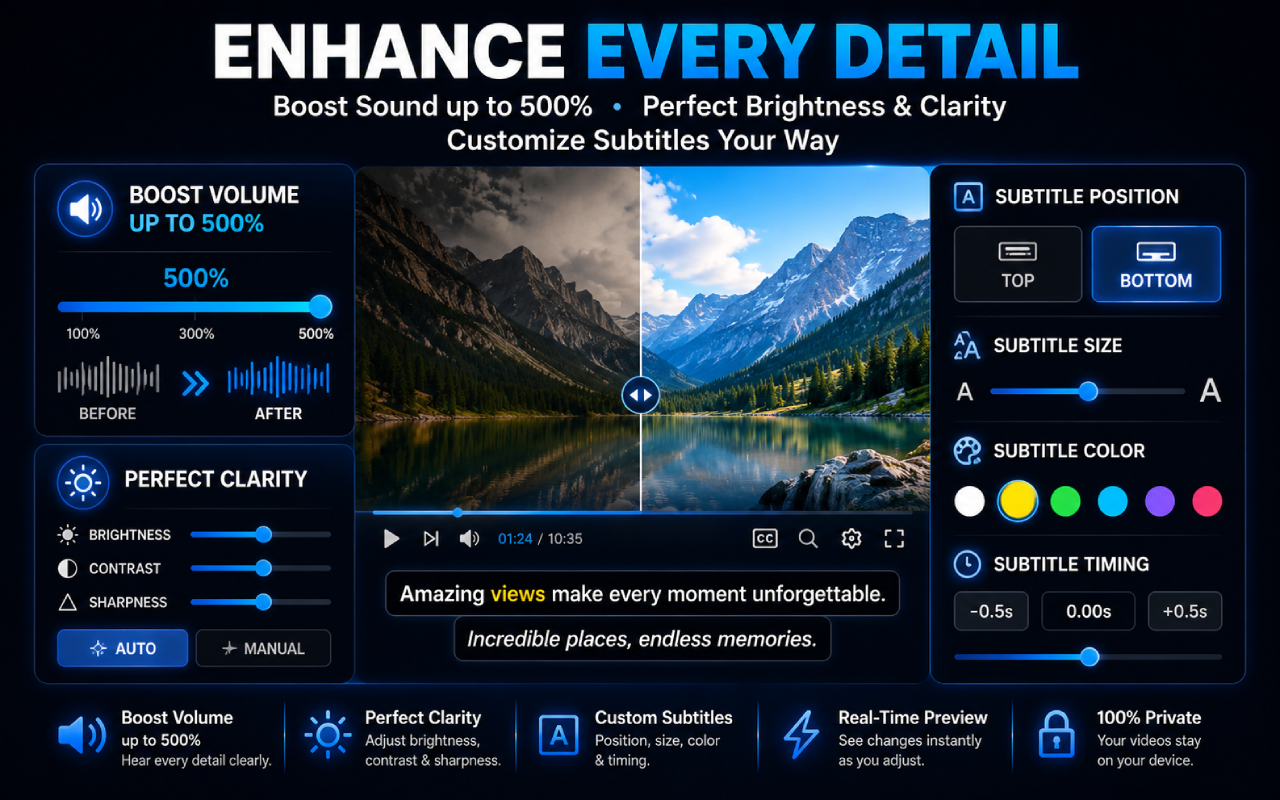
Take control with professional-grade subtitle features.

  • Subtitle position, size, and color
  • Volume boost and clarity controls
  • Real-time preview while watching
Subtitle customization and audio enhancement tools
07

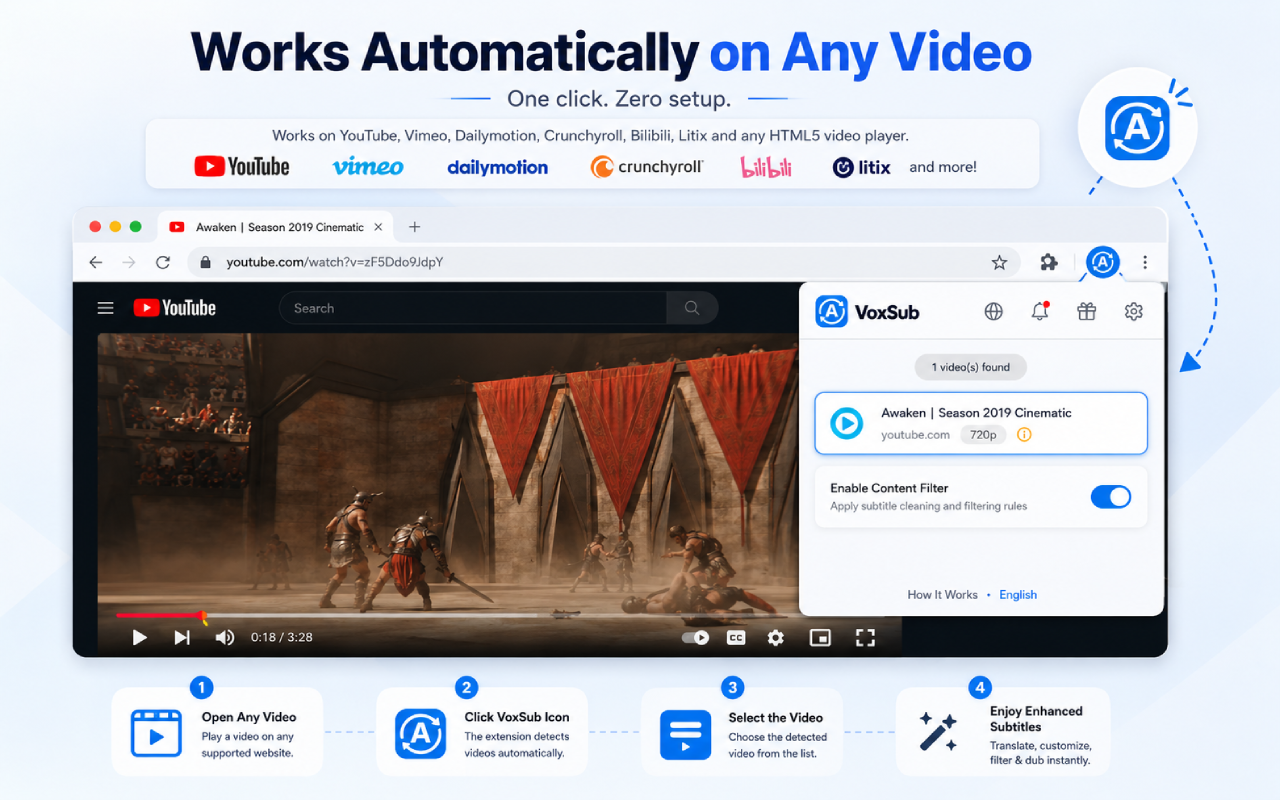
Works Automatically on Any Video

Works on most websites that use HTML5 video players and supported subtitle sources.

  • Auto-detect video pages
  • Works across common streaming platforms
  • Use uploaded subtitle files when needed
VoxSub works automatically on video websites

Simple Setup

Start watching with better subtitles in 3 steps

⬇️

1. Install VoxSub

Add the extension to your browser and open any video page.

▶️

2. Load subtitles

Use detected subtitles or upload your own subtitle file.

⚙️

3. Translate, search, and filter

Apply AI translation, subtitle profiles, search, dubbing, and visual customization while watching.

Power User Features

Smart Subtitle Profiles

Create custom subtitle profiles to replace words, skip subtitle segments, or mute selected audio parts while watching.

Replace Words Skip Segments Mute Audio Import / Export
Privacy friendly: your subtitle rules are stored locally in your browser. AI features run only when triggered and may require user-provided API access depending on the selected service.
Compact smart subtitle profiles interface

Supported Platforms

Works where you watch

Works on most websites that use HTML5 video players.

*Requires subtitle file upload when subtitles are not directly available.

0
Languages & dialect workflows
0
Core subtitle tools
0
KB lightweight package target

Get VoxSub

Ready to upgrade your subtitles?

Install from Microsoft Edge Add-ons when the listing is live. Chrome and Firefox builds are planned.